249
249
MasterControl requires for the PDFs documents to be opened with Adobe Acrobat DC or Pro. If the PDF is opened with the browser, the document will not display properly.
These instructions will guide you to set the Chrome Browser’s setting to download the PDF instead of opening the PDF with the bowser.
-
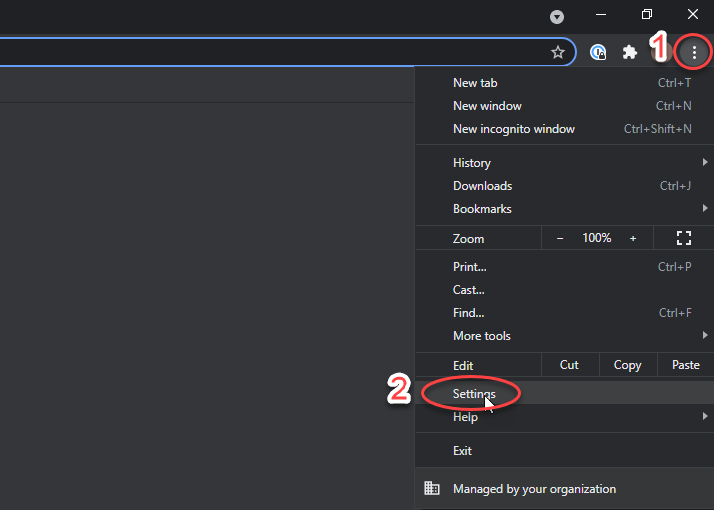
Open Google Chrome. On the top right (1) click on the 3 dots and click on (2) Settings.
-
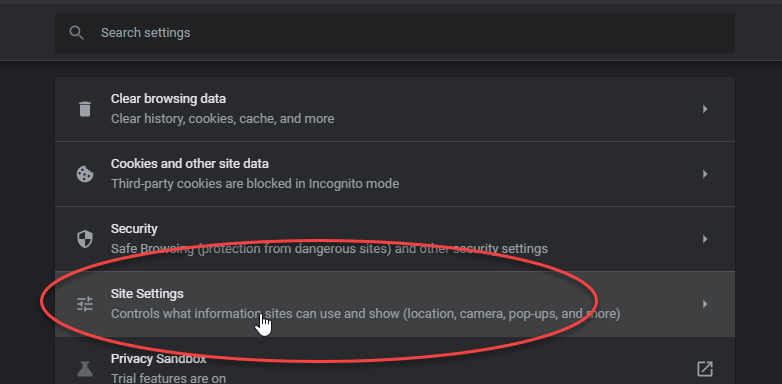
Scroll down until you find Site Setting and click on it.
-
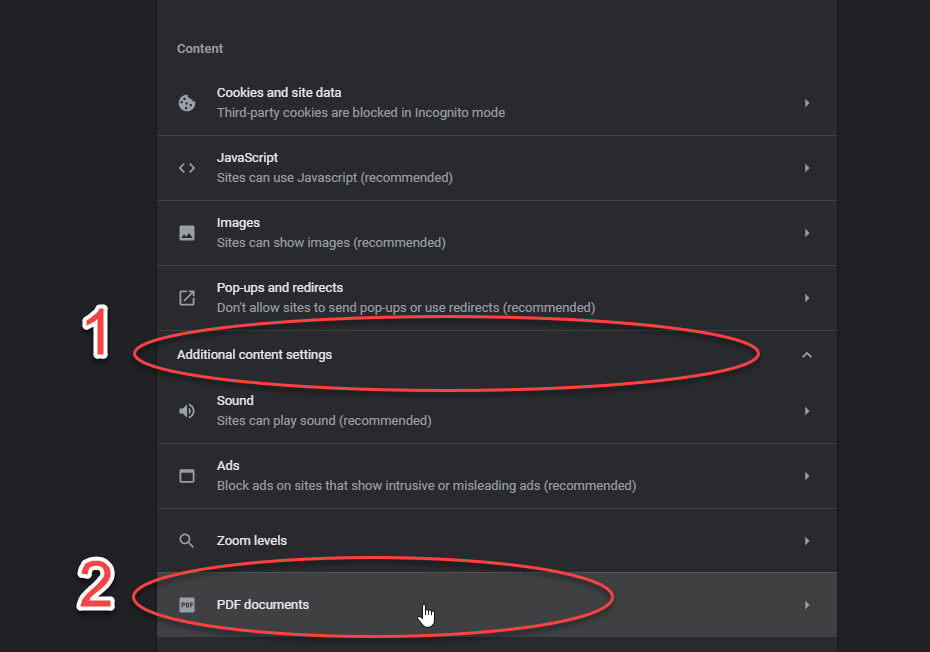
Expand (1) Additional Content Setting and open (2) PDF documents
-
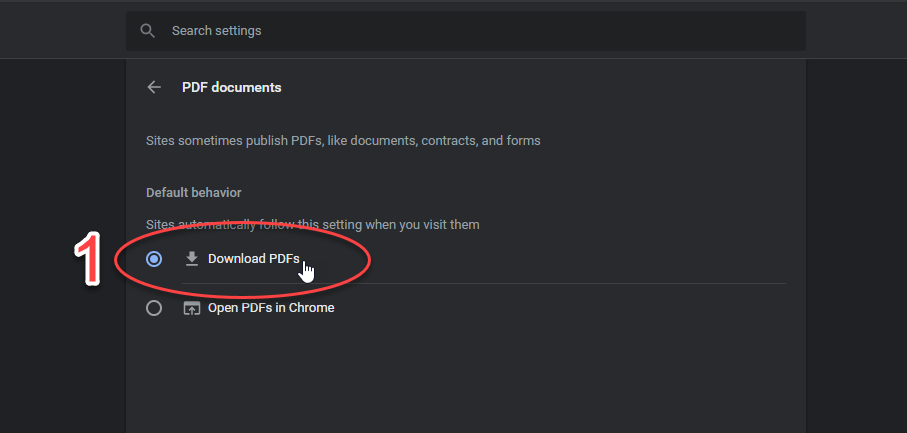
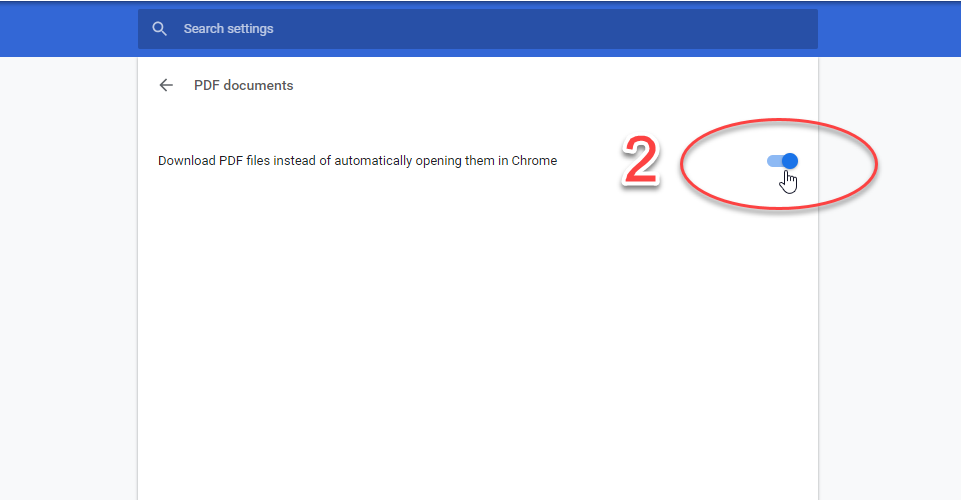
Depending on the View, make sure (1) Download PDFs is selected or (2) the option is checked off Blue
-
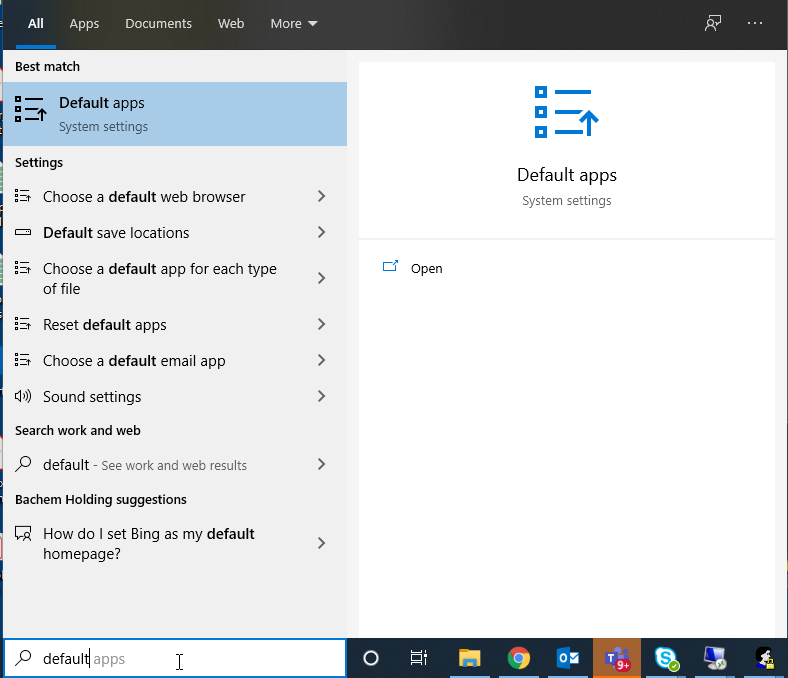
Go to the Start menu, search and open Default Apps
-
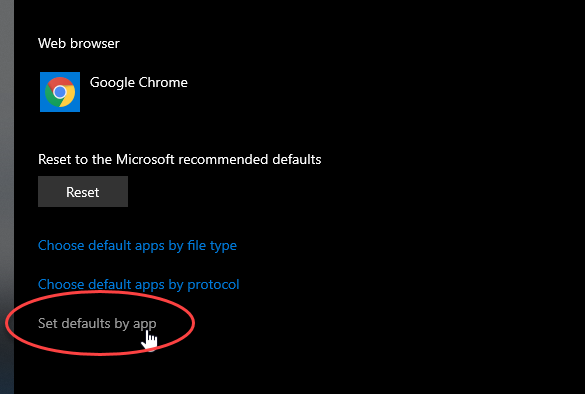
Scroll to the bottom and open Set defaults by app
-
Select Adobe Acrobat Reader (or Pro) and click on Manage
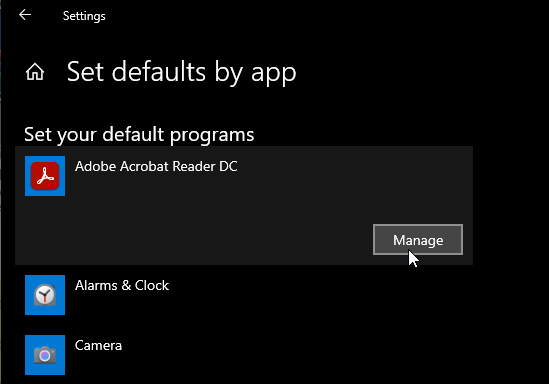
-
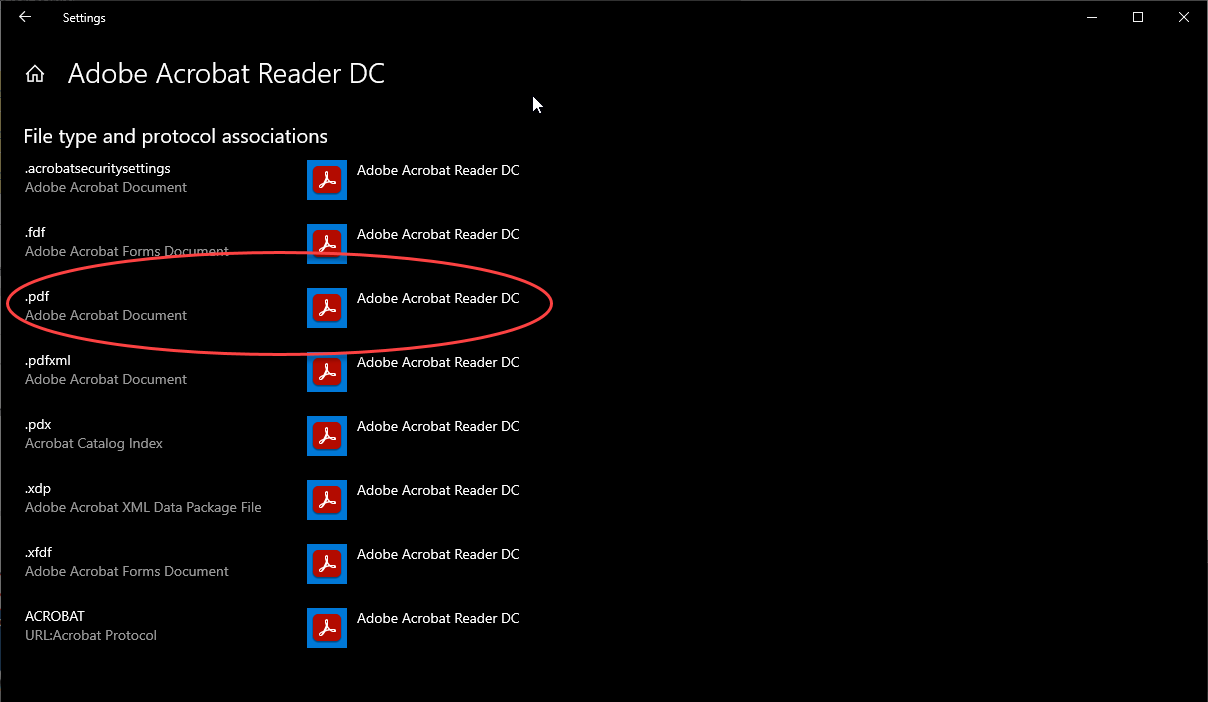
.pdf should be set to Adobe Acrobat Reader (or Pro)